
Pivot VPN

Pivot VPN for Torrenting and P2P: Built for Fast, Private File Sharing

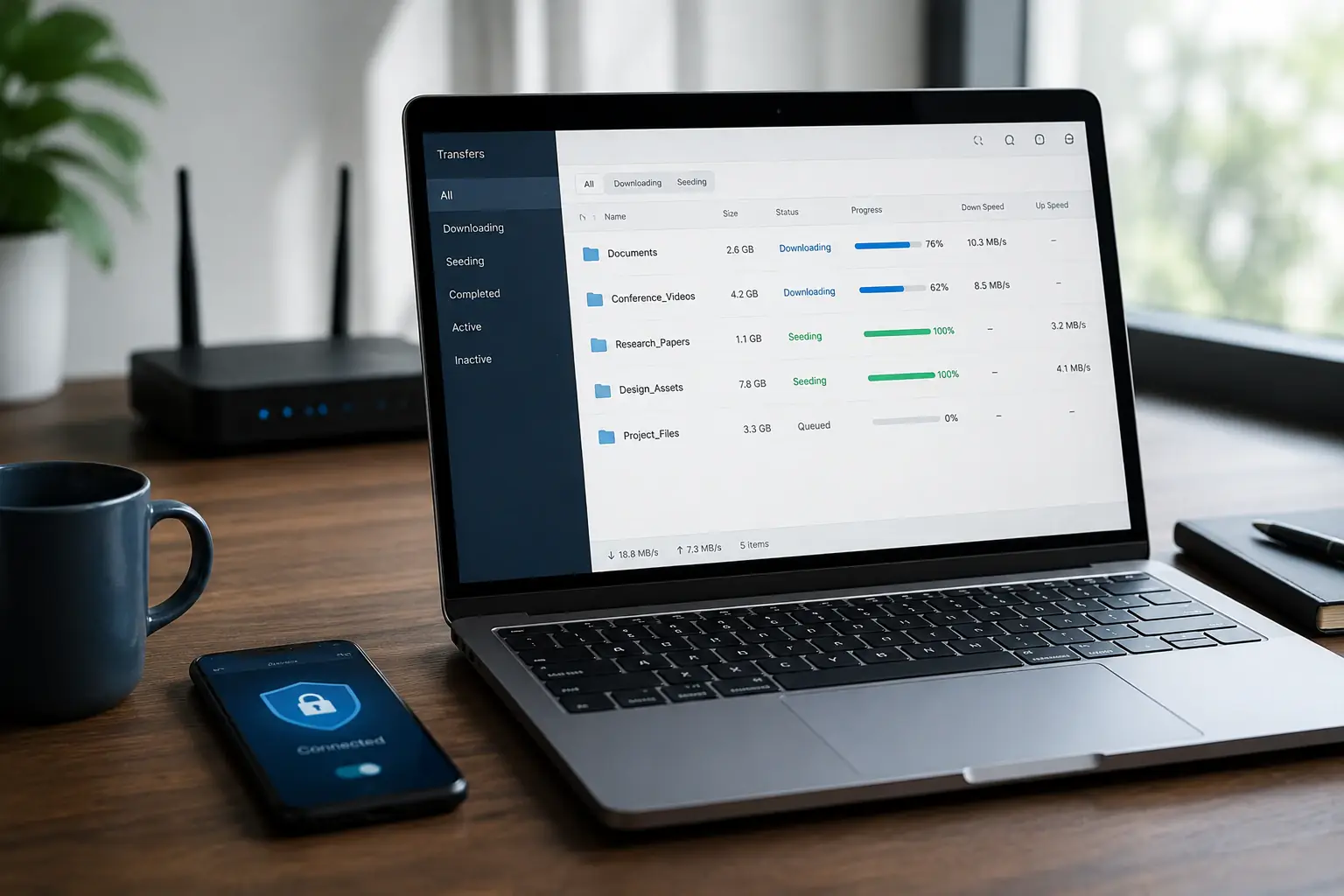
Torrenting is one of the most demanding things you can do with a VPN. The traffic is constant, the connections are many, your IP address is broadcast to every peer in the swarm, and your provider sees it all. Pivot VPN is built to handle that workload without slowing you down and without leaving traces that your internet provider or other peers can use against you.

This page explains exactly how Pivot VPN supports torrenting and peer-to-peer transfers, what to expect in terms of speed and privacy, and how to set things up correctly across all your devices — your phone, laptop, desktop, and even your TV box if you seed from it.

What you actually need from a VPN when you torrent

A VPN for torrenting is not just about hiding your IP from a website. P2P traffic is fundamentally different from regular browsing.

  • Every peer in a swarm sees your IP. Without a VPN, that IP points back to your home connection and to you personally through your provider.
  • Your internet provider can see that you are using BitTorrent even if it cannot read the file contents. Many providers throttle, send notices, or apply data caps to that traffic.
  • A single dropped connection can expose your real IP for seconds at a time, which is enough for peer scrapers to log it.
  • Encryption needs to be strong, but it also needs to be fast. A VPN that adds 80% overhead turns a 100 Mbps line into a crawl.

Pivot VPN is configured around exactly these four problems: hiding your real IP from every peer, masking the type of traffic from your provider, keeping the tunnel from leaking when the network shifts, and pushing throughput as close to your raw line speed as possible.

How Pivot VPN handles P2P traffic

Pivot VPN allows peer-to-peer traffic on its server network. There is no separate “P2P plan” or hidden fair-use clause that kicks in after a few gigabytes. The same subscription that streams video and protects your browsing also carries your torrent client.

Under the hood, Pivot VPN uses modern tunneling protocols tuned for high-bandwidth, high-connection workloads. Torrent clients open dozens, sometimes hundreds, of simultaneous connections to peers. Older VPN protocols choke on that pattern. Pivot VPN’s stack is built to keep those connections open without exhausting the tunnel.

When you connect on your laptop, desktop, phone, or Android TV, the same rules apply. One Pivot VPN subscription covers Android, iOS, Windows, macOS, Linux and Android TV, so you can seed from a home machine, queue downloads on a laptop, and check progress from your phone — all through the same encrypted network.

The features that matter for torrenting, explained in plain terms

Marketing pages list features as bullet points. Here is what each one actually does for a P2P workload.

Strong encryption. Pivot VPN encrypts every packet leaving your device. Your internet provider sees an encrypted stream going to a Pivot VPN server. It cannot tell whether that stream is a video call, a software update, or a torrent download. That alone removes most of the friction around traffic shaping and notices.

Kill switch. If the VPN tunnel drops — your Wi-Fi flips, you switch from cellular to Wi-Fi, a server restarts — the kill switch blocks all internet traffic until the tunnel is back up. For a torrent client running in the background, this is the single most important feature. Without it, the moment the tunnel dies, your client keeps announcing your real IP to the swarm.

No-logs policy. Pivot VPN does not keep records of which sites you visit, which IPs you connect to, or what you download. There is nothing to hand over and nothing to leak, because the data is never written down.

Wide server network. A close server with low latency beats a far server with great marketing. Pivot VPN places servers across regions so that you can pick one near you for speed or one in a region with friendlier rules for P2P.

Split tunneling. Available on platforms that support it, split tunneling lets you route only the torrent client through the VPN while your browser, bank app, or work tools stay on the regular connection. This avoids breaking sites that flag VPN IPs while keeping the traffic that matters protected.

DNS leak protection. Pivot VPN uses its own DNS resolvers inside the tunnel. Even if your operating system tries to fall back to your provider’s DNS, the tunnel prevents that lookup from escaping.

Real speed expectations

Anyone promising “no speed loss at all” is selling a story. Encryption costs cycles. Routing through a remote server adds distance. Pivot VPN is engineered to keep that cost small — typically a single-digit percentage on a nearby server with modern hardware. On older devices or distant servers, expect a larger gap.

What matters for torrenting is not the peak speed on a speed test but the sustained throughput over hours. Pivot VPN’s servers are sized for long sessions. Your real ceiling for a torrent download is usually the swarm itself: how many seeders there are, how fast they upload, and how well your client manages connections. The VPN should not be your bottleneck, and in most cases it isn’t.

If you see unusually slow speeds, the fix is almost always one of these: switch to a closer server, change the protocol in settings, or check that your torrent client’s connection limits are not set to something extreme.

Common mistakes that defeat the point

A VPN is a tool. Used carelessly, it gives a false sense of safety.

  • Starting the torrent client before the VPN connects. On a fresh boot, the client may already be running and announcing your IP. Configure the client to wait for the VPN, or enable the kill switch to block all traffic when the tunnel is down.
  • Ignoring the kill switch. It exists for a reason. Turn it on once and forget about it.
  • Using a free, anonymous-sounding service. Free VPNs cover their costs somehow, often by logging and selling traffic data — exactly the thing you are trying to avoid.
  • Mixing accounts. If you sign in to a personal account inside a torrent-related app while connected, you are linking that account to your VPN session. Keep identities separate.
  • Forgetting your other devices. Your phone seeds in the background, your TV box runs media tools — both need the same protection. One Pivot VPN subscription covers all of them, so there is no excuse to leave a device exposed.

Step-by-step: torrenting safely with Pivot VPN

The setup is the same across platforms with small UI differences.

  1. Install Pivot VPN on the device you torrent from — your laptop, desktop, Android device, iPhone, or Android TV box. Sign in with the same account on every device.
  2. Open settings and enable the kill switch. This is the non-negotiable step.
  3. Pick a server. A closer server gives you better speed. If your provider is aggressive about throttling P2P, pick a server in a region known for relaxed P2P rules.
  4. Connect, then check your IP. Open any “what is my IP” page. The address you see should belong to the VPN server, not your home connection.
  5. Open your torrent client. Add the torrent. Watch the peer list — those peers now see the VPN’s IP, not yours.
  6. Optional: enable split tunneling. Route only the torrent client through the VPN if you want the rest of your apps on the regular connection.
  7. Leave the VPN running for the entire session, including any seeding time after the download finishes.

That is the whole flow. Once configured, daily use is one tap to connect.

When a VPN for torrenting is worth it

If you torrent more than once or twice a year, the answer is straightforward. The privacy cost of running unprotected P2P traffic — exposed IP, traffic logs, possible notices from your provider — is permanent and not undone by stopping later. A VPN closes that gap before it opens.

If you only download occasional Linux ISOs or open-source software through P2P, a VPN still helps because your provider’s throttling rules do not care what the file is. Encrypted traffic moves without interference; unencrypted P2P often does not.

If you also use the connection for streaming, public Wi-Fi at cafes and airports, or anything financial on the go, the same Pivot VPN subscription covers all of that on every device you own. The cost-per-use drops fast.

Privacy is not just the IP

A VPN hides your IP. It does not hide everything. Trackers in the file, metadata embedded in documents, accounts you sign in to inside related apps — none of that is the VPN’s job. Pivot VPN protects the network layer, which is the layer your provider, your peers, and most third parties can actually see. Combine it with sensible habits — clean clients, separate accounts, careful file handling — and you have a setup that holds up under realistic pressure.

Pivot VPN exists to make that network layer disappear from anyone who shouldn’t see it, on every device you use, for as long as your session lasts. That is the entire job, and it is built to do it well.

Frequently asked questions

How much does Pivot VPN cost for torrenting? +

Pivot VPN uses a single subscription that covers all categories of use, including P2P, with no separate torrenting tier or per-gigabyte fees. The same plan works on your phone, laptop, desktop and TV box simultaneously. Current pricing and any active promotions are shown on the main pricing page.

What do I need to run Pivot VPN for P2P? +

Any modern device running Android, iOS, Windows, macOS, Linux or Android TV, plus a Pivot VPN account. You also need a torrent client of your choice. The VPN app handles everything else, including encryption, DNS protection and the kill switch.

Will Pivot VPN slow my torrent downloads? +

Some overhead is unavoidable with any VPN, but Pivot VPN is tuned to keep the loss small — usually a single-digit percentage on a nearby server. In most real sessions, the swarm itself is the limit, not the VPN. If speeds feel low, switching to a closer server or changing the protocol in settings usually solves it.

Is torrenting through Pivot VPN safe and private? +

Pivot VPN encrypts every packet leaving your device, hides your real IP from every peer in the swarm, and uses its own DNS to prevent leaks. The kill switch blocks traffic if the tunnel drops, and the no-logs policy means there is no internal record of what you downloaded. Used with the kill switch enabled, it covers the practical threats that come with P2P.

Why does Pivot VPN suit torrenting specifically? +

P2P traffic opens many simultaneous connections and runs for long sessions, which exposes weaknesses in cheaper VPN setups. Pivot VPN allows P2P across its server network, handles high connection counts without choking the tunnel, and includes the kill switch and DNS leak protection that torrenting actually needs. The same subscription protects every device, so your phone, laptop and TV box are all covered.

How do I start torrenting with Pivot VPN? +

Install the Pivot VPN app on the device you torrent from, sign in, enable the kill switch in settings, and connect to a nearby server. Open your torrent client only after the VPN shows as connected. Check your visible IP once on any IP-lookup page to confirm the tunnel is up, then run your downloads as usual.

READY TO START?

Get Pivot VPN — free for 7 days

No credit card upfront. Cancel anytime.

Try Pivot VPN
All platforms · Unlimited traffic · No logs