
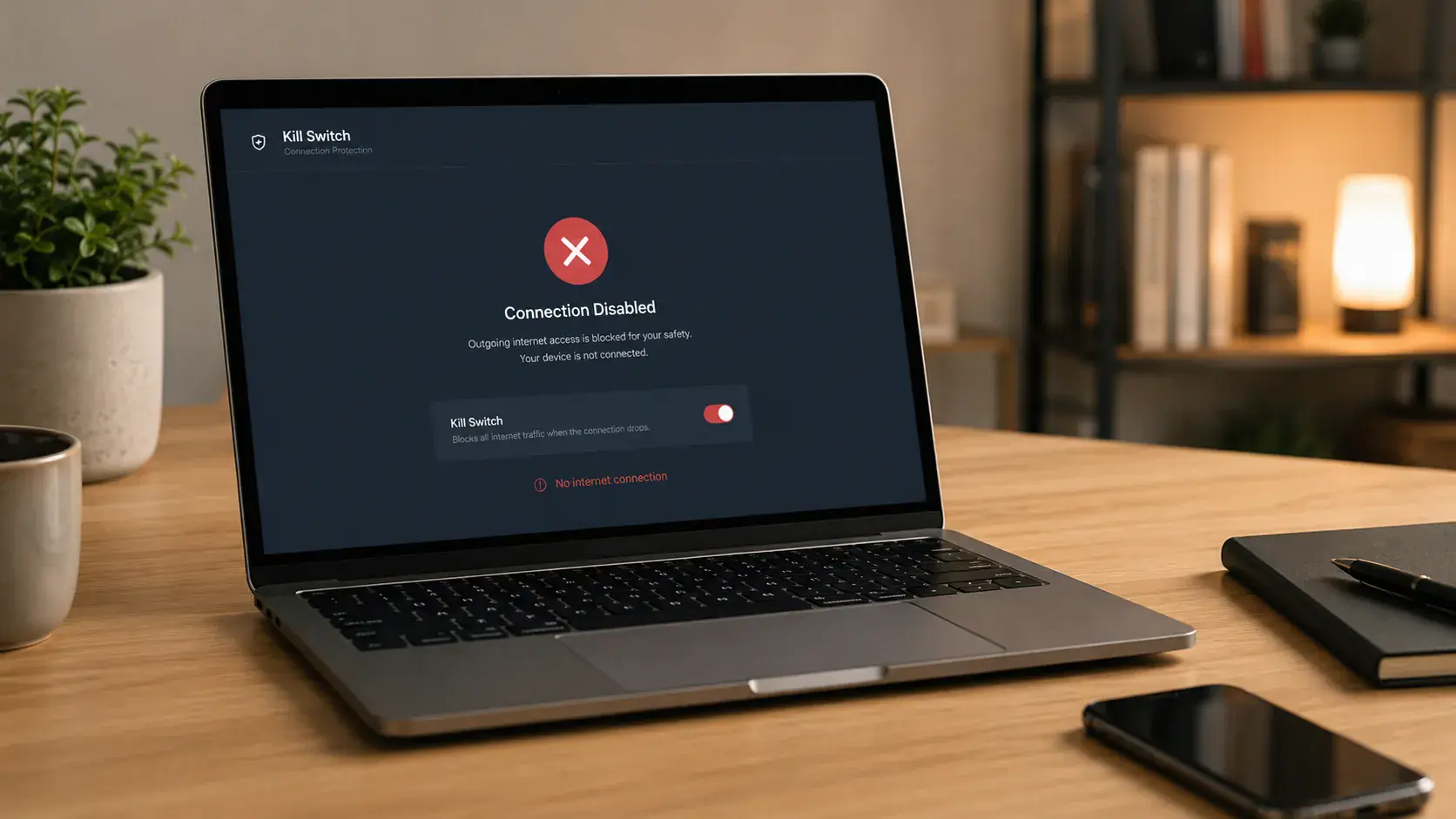
Pivot VPN with Kill Switch: Zero Leaks, Across Every Device You Own
A VPN is only as honest as what happens during the moments it stops working. A dropped tunnel, a Wi-Fi handoff, a sleeping radio, a quick reboot — these are the seconds where your real IP, your DNS lookups and the names of the apps you are using can slip out onto the open network. Pivot VPN treats those seconds as the whole point. Our kill switch is not a checkbox we added at the end. It is the assumption the entire client is built on: if the encrypted tunnel is not up, no traffic leaves your device.
This page explains exactly what our kill switch does, why we believe it should be the default for any VPN with a kill switch, how it behaves on your phone, your laptop, your desktop and your TV, and the edge cases we have engineered around so you never have to think about them.
What a kill switch actually is
A kill switch is a network rule, enforced by your operating system at a low level, that blocks all traffic from leaving your device unless it goes through the encrypted VPN tunnel. If the tunnel is connected, traffic flows. If the tunnel disconnects for any reason — server restart, switching from Wi-Fi to cellular, suspending your laptop, a corporate captive portal kicking you off — the rule keeps holding. Packets that would otherwise escape to your ISP, to the airport router, to your office network, are dropped on the floor.
The point is not paranoia. The point is consistency. If you turned a VPN on because you did not want a particular network to see what you are doing, you do not want that protection to silently lapse for ninety seconds while your client reconnects. A VPN with a kill switch turns “protected” into a binary state: either everything is tunneled, or nothing is sent.
Why this matters more than people think
Most VPN leaks are not dramatic. They are quiet. Your messaging app keeps a long-lived TCP connection open; when the tunnel renegotiates, that socket can briefly re-bind to your real interface and announce your home IP to the server on the other end. Your browser was already loading a page; the DNS prefetch goes out through the system resolver before the tunnel is up. Your laptop wakes from sleep and starts background sync three seconds before the VPN client has even loaded.
None of these are bugs you can solve with a careful user. They are timing problems. The only correct fix is a rule that lives below the application layer and says no, not until the tunnel is verified. That is what Pivot VPN’s kill switch does, and it does it whether you are on Android in a cafe, iOS on a flight’s onboard Wi-Fi, Windows at a coworking space, macOS at home, Linux on a workstation or Android TV in a hotel room.
How Pivot VPN implements the kill switch
We do not bolt the kill switch on top of a generic VPN tunnel. We use the platform-native networking primitives so that the operating system itself enforces the block, not a userspace process that could crash.
On Android and Android TV, the kill switch is implemented through the system’s VpnService API in combination with the OS-level “Always-on VPN” and “Block connections without VPN” flags. Once enabled, the Android kernel itself will not forward any packet that did not originate from the Pivot VPN tunnel interface. If our app is killed by a low-memory event, the block stays in place. The user does not need to remember to re-enable anything.
On iOS, we use the NetworkExtension framework with on-demand rules. The tunnel is brought up before the system hands traffic to any app, and if the tunnel goes down the on-demand policy prevents flows from being established on the bare interface. This is the only architecturally correct way to do it on iOS, and it is what we ship.
On Windows, the kill switch is enforced by Windows Filtering Platform (WFP) filters installed at the kernel level. These filters survive client restarts and crashes and are removed only on a clean disconnect. We block all traffic except DHCP, the handshake to our entry servers, and the tunnel interface itself.
On macOS, we combine packet filter (PF) rules with the NetworkExtension provider, so the firewall enforcement is independent of the GUI app. Quit the app, force-quit it, log out — the rules hold until you explicitly disable protection.
On Linux, the kill switch is delivered through nftables rules scoped to the tunnel routing table. It plays nicely with systemd-resolved and with users who run their own firewalls.
The point of going platform-native everywhere is simple: a kill switch implemented as “the app notices the tunnel dropped and tries to put up a firewall” is already too late. By the time userspace notices, packets have already left. We install the rule first and bring the tunnel up second.
What it feels like to use
In day-to-day use, you should barely notice the kill switch exists. When everything is healthy — strong Wi-Fi, stable cellular — the tunnel is up, traffic flows, and the feature is invisible.
You notice it in the moments that used to be embarrassing. You walk out of your apartment and your phone hops from Wi-Fi to LTE; with a traditional VPN, there is a window where apps reconnect on the cellular interface before the tunnel is restored. With Pivot VPN, those apps simply pause for the second or two it takes the tunnel to re-establish, and then resume. Your bank app does not briefly check in over your carrier. Your work chat does not briefly post a “user came online” event from your real IP.
You notice it when you close your laptop lid in a cafe, walk to another cafe, and open it again. The Wi-Fi has changed, the captive portal wants you to log in, and Pivot VPN holds the line — nothing leaves until you have actually authenticated to that portal and the tunnel is back. We make this graceful with a captive-portal detection mode that briefly allows DNS to the gateway so the login page can load, then re-locks the moment the portal accepts you.
You notice it on Android TV when you are streaming and the router reboots. The stream pauses. It does not silently fall back to a non-VPN connection that might be geo-blocked, throttled or logged.
Always-on by default, configurable when you need it
Pivot VPN ships with the kill switch enabled by default on every platform that supports it. We believe that is the only defensible default for a VPN with a kill switch — opting users out of protection by default would defeat the point.
That said, real life has exceptions. We expose three controls:
Local network bypass lets your device keep talking to your printer, your Chromecast or your NAS while the tunnel is up. The bypass is scoped strictly to RFC1918 ranges on your current LAN and does not allow anything else through.
Per-app split tunneling on Android, Windows and Linux lets you mark specific apps as “always tunneled” or “always direct”. The kill switch still applies to the tunneled set: if the tunnel drops, those apps stop. Apps you explicitly marked as direct are unaffected, which is exactly what you asked for.
Trusted networks (on desktop platforms) lets you tell Pivot VPN that your home Wi-Fi is safe enough to not require the tunnel. We disable this by default because most users do not want it, but it is there for people who know exactly what they are turning off.
Performance and battery
A correctly implemented kill switch has effectively zero overhead. The firewall rules are evaluated by the kernel for every packet you would send anyway. There is no extra daemon polling, no JavaScript watching the tunnel, no userspace hot loop. On a modern phone or laptop, the cost is unmeasurable.
What you do save is the bandwidth and battery wasted by background apps that would otherwise retry aggressively over a leaking interface. When the tunnel is down, those apps see no network at all and back off properly, instead of burning radio time sending requests that would partially succeed and partially get blocked later.
Edge cases we have already solved
IPv6 leaks. Many VPN clients tunnel IPv4 and let IPv6 escape. Pivot VPN either tunnels IPv6 end-to-end where the server supports it, or drops IPv6 at the firewall layer when it does not. There is no third option where IPv6 silently bypasses the tunnel.
DNS leaks. Even with the tunnel up, some operating systems will use the system resolver in parallel with the VPN’s resolver. We force DNS through the tunnel and block port 53 to any other destination while connected.
WebRTC IP exposure in browsers. The kill switch ensures that even if WebRTC asks the OS for a list of local interfaces, the only routable interface that can actually carry traffic is the tunnel.
Reboots and updates. On platforms where we install kernel-level rules, those rules are restored automatically before the network stack accepts user traffic after a reboot. You do not get a vulnerable window between login and the Pivot VPN client launching.
Crashes. If the client process dies, the kill switch holds. The only way to restore unprotected internet is to explicitly disable protection from the UI, or uninstall the client.
One subscription, the same guarantee everywhere
A kill switch that works on your laptop but not your phone is not really a kill switch — it is a feature with a hole in it. One Pivot VPN subscription covers Android, iOS, Windows, macOS, Linux and Android TV simultaneously, with the same kill-switch behavior on each. The implementation differs because the operating systems differ, but the contract does not: if the tunnel is not up, your traffic does not leave.
That is what we mean when we call Pivot VPN a VPN with a kill switch. Not a setting. A guarantee.
Frequently asked questions
How does the Pivot VPN kill switch actually work? +
On every platform it is enforced by the operating system's own networking layer, not by our app process. On Android and Android TV we use the system VpnService with always-on flags; on iOS we use NetworkExtension on-demand rules; on Windows we install kernel-level WFP filters; on macOS we combine PF rules with a NetworkExtension provider; on Linux we use nftables. If the tunnel drops, the OS itself refuses to forward traffic on any other interface until the tunnel is back.
Is the kill switch enabled by default? +
Yes. On every platform that supports it, Pivot VPN ships with the kill switch on by default. We believe that is the only safe default for a VPN with a kill switch, because opting users out of protection would defeat the purpose. You can adjust it from settings if you specifically need a local-network bypass, per-app split tunneling or a trusted-network rule.
Does the kill switch slow down my phone or laptop? +
No measurable impact. The kill switch is a set of kernel-level firewall rules that the operating system evaluates as part of normal packet forwarding. There is no extra daemon, no polling and no userspace loop. Battery life is actually better on mobile, because background apps stop retrying aggressively over a leaking interface when the tunnel is down.
Will the kill switch work the same way across all my devices? +
Yes. One Pivot VPN subscription covers Android, iOS, Windows, macOS, Linux and Android TV at the same time, and the kill-switch contract is identical on each: no tunnel, no traffic. The underlying implementation is different on each operating system because the platform primitives are different, but the user-visible guarantee is the same everywhere.
What happens if the Pivot VPN app crashes or I reboot my device? +
The kill switch holds. On Windows, macOS and Linux the firewall rules are installed at the kernel level and survive a client crash or even a reboot, so there is no vulnerable window between login and the client launching. On Android and iOS, the OS-level always-on flags keep enforcing the block even if the app process is killed by the system.
Can I still print, stream to a Chromecast or reach my NAS while the kill switch is on? +
Yes, if you enable local network bypass in settings. It is scoped strictly to private RFC1918 ranges on your current LAN, so your printer, Chromecast, smart TV and NAS stay reachable while everything else continues to go through the encrypted tunnel. The bypass does not punch any holes to the public internet.
Get Pivot VPN — free for 7 days
No credit card upfront. Cancel anytime.
Try Pivot VPN